AppSumo Deals
How to Buy on AppSumo from India (2026): Card Declines, International Transactions, GST and Forex Fees
AppSumo payment from India failing? Fix card declines, enable international use, and see the real rupee cost with forex markup and GST explained.

Most AppSumo payments from India fail because the card isn't switched on for international online use. Since RBI's 2020 card rules, new Indian cards ship with that setting off. To fix it, turn on "international" and "online" usage in your bank app, check the per-transaction limit, then pay with a major credit or debit card, or with PayPal. Your bank will charge the dollar price plus its own forex markup, and 18% GST on that markup, so the rupee total will come out a little higher than the price shown on AppSumo.
Facts checked on official pages on 20 October 2026. Bank charges and tax rules change, so recheck your own card's schedule of charges before a big purchase.
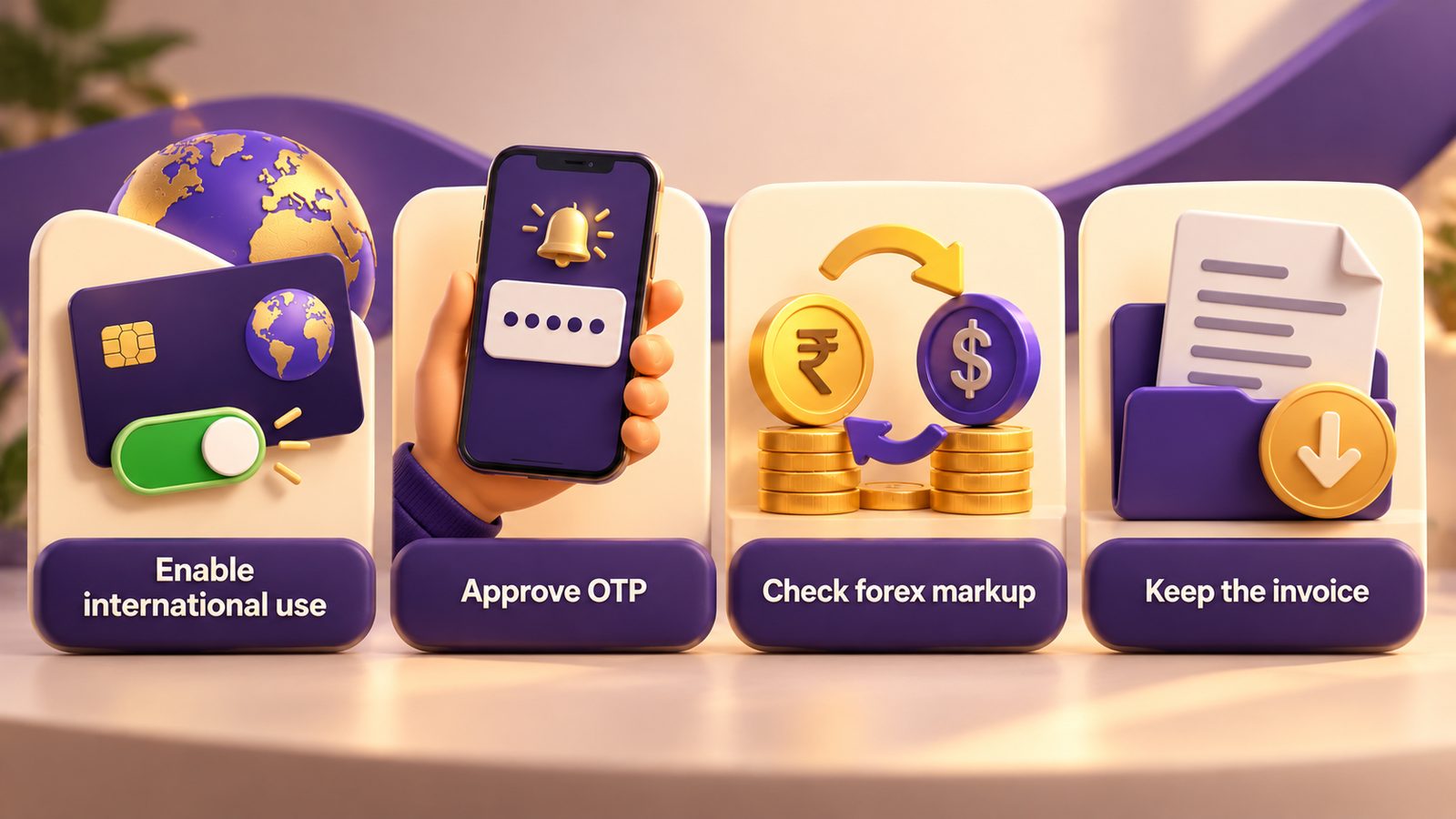
Key facts: paying AppSumo from an Indian card
| Question | Short answer | Source |
|---|---|---|
| What payment methods does AppSumo accept? | Major debit/credit cards (Visa, Mastercard, Amex, Discover), Google Pay and Apple Pay where available, PayPal, AppSumo credits. Klarna is US-only | AppSumo Help: accepted payment methods |
| Which cards won't work? | Online banking cards, reloadable cards and merchant gift cards | Same page |
| How do you pay for AppSumo Plus? | Card only, because it's a subscription | Same page |
| Will there be a currency fee? | AppSumo says your payment processor "may charge an exchange rate fee" | Same page |
| Why do Indian cards fail by default? | New cards are enabled only for domestic ATM/PoS use. Online and international use must be switched on | RBI circular, 15 Jan 2020 |
| What is the forex markup? | It depends on the bank. Many HDFC Bank cards charge 3.5%, and premium cards are lower, with 18% GST on the markup | BankBazaar summary (check your own card) |
| Can you get a refund? | Full refund within the window stated on each deal page | AppSumo refund policy |
Why is my Indian card declined on AppSumo?
When an Indian card is declined on AppSumo, the cause is almost always on the bank's side, not AppSumo's. These are the usual causes, roughly from most to least common.
1. International or online usage is switched off. RBI's Enhancing Security of Card Transactions circular (15 January 2020, in force from 16 March 2020) requires new cards to be issued enabled only for contact-based use at ATMs and PoS terminals in India. Card-not-present use, domestic or international, has to be switched on separately. The same circular makes banks let you switch each channel on or off and set limits 24x7 through the app, net banking, ATM or IVR. A card that works fine on Amazon India can still fail on a US checkout like AppSumo.
2. The per-transaction or daily limit is too low. Plenty of people switch international usage on but leave the limit at a few thousand rupees. Set it comfortably above the rupee value of your cart.
3. The card type isn't supported. AppSumo's processor takes only major debit and credit cards. It won't take online banking cards, reloadable cards or merchant gift cards. Some prepaid and virtual cards from Indian fintech apps fall into this group.
4. The OTP or 3-D Secure step failed. If the bank's authentication page times out, or you close it too soon, the charge fails. Retry on a stable connection and don't press back.
5. The bank's fraud filter flagged it. A first-time foreign merchant, a late-night purchase or several quick retries can trigger a block. Calling the bank, or approving the transaction in its app, usually clears it.
How do I enable international transactions on my card?
The exact menu differs by bank, but the steps are the same everywhere:
- Open your bank's app or net banking and find "Card controls", "Manage card" or "Card usage".
- Switch on Online / e-commerce and International usage for the card you'll use.
- Set an international online limit higher than your cart value in rupees.
- Try the purchase again on AppSumo. If it still fails, call the bank and ask whether a foreign merchant charge was blocked.
You can switch international usage off again after the purchase. Many people do this as a safety habit.
Should I use PayPal, a credit card or a debit card?
AppSumo accepts all three for normal deals. AppSumo Plus is the exception and is card-only.
- Credit card: usually the easiest option. It gives you chargeback rights through your bank, and the currently deferred LRS treatment of international credit card spends keeps things simple (see the TCS note below).
- Debit card: works if international online use is switched on, but money leaves your account straight away, and some banks set lower foreign limits on debit cards.
- PayPal: useful if your card keeps failing directly. PayPal still charges your Indian card underneath, so the international setting still matters, and PayPal's conversion rate may differ from your bank's. Compare the two at checkout.
How much will an AppSumo deal really cost in rupees?
AppSumo prices are in US dollars. Your card statement shows the rupee amount after your bank converts it and adds a markup. Here is a worked example. The exchange rate is an assumption, so use the rate on the day you buy.
Example: a $69 deal, assuming ₹88 to the dollar
- Base conversion: $69 × ₹88 = ₹6,072
- Forex markup at 3.5% (a common standard-card rate): ₹6,072 × 3.5% = ₹212.52
- GST at 18% on the markup only: ₹212.52 × 18% = ₹38.25
- Total on your statement: about ₹6,322.77
Run the same deal on a card with a 2% markup:
- Markup: ₹6,072 × 2% = ₹121.44
- GST on markup: ₹121.44 × 18% = ₹21.86
- Total: about ₹6,215.30
On one deal the gap is roughly ₹107. Over a Black Friday cart of five or six deals it adds up, so it's worth using your lowest-markup card. GST here is charged on the bank's markup fee, not on the full ₹6,072 (BankBazaar on HDFC charges). Rates vary by bank and card, so check your own card's "most important terms" document.
If you're planning a bigger shopping list, read our AppSumo Black Friday guide for Indian course creators first.
Does AppSumo charge GST on purchases from India?
AppSumo's help pages don't say whether Indian GST is added at checkout, so the honest answer is to check the total and the invoice for your own order. Under Indian GST rules for online services supplied from abroad (called OIDAR), the general position is:
- If you're not GST-registered, the foreign supplier is expected to charge 18% IGST.
- If you're a GST-registered business, you generally pay the IGST yourself under reverse charge and may be able to claim input tax credit.
ClearTax's OIDAR explainer covers the mechanics. This is general information, not tax advice. Confirm your own treatment with a CA, especially if you plan to claim input credit.
For invoices, AppSumo lets you add your company name, address and VAT/tax ID on your Profile page. Those details apply only to future invoices. AppSumo also provides a blank invoice template for local requirements (AppSumo Help: invoices). Fill in your GSTIN before you buy if your accountant needs it on the invoice.
Is there TCS on AppSumo purchases?
For most creators buying a few software deals, almost certainly not. The current position, per ClearTax, is that classifying international credit card spends as LRS has been postponed, and TCS for "other purposes" under LRS is nil up to ₹10 lakh in a financial year. Debit and forex card spends are tracked differently. If you spend large amounts abroad in a year, ask your CA.
Why does AppSumo Plus or a monthly plan fail when a one-time deal works?
Recurring card charges in India fall under RBI's e-mandate framework. Most categories can be auto-debited without extra authentication only up to ₹15,000 per transaction (Khaitan & Co on the RBI limit). The higher ₹1 lakh limit covers only mutual funds, insurance premiums and credit card bills (Business Standard). When a foreign merchant's recurring charge doesn't fit what your bank expects, the renewal can fail even though the first payment went through. One-time lifetime deals avoid this. That's one reason Indian buyers like them, though a deal still has to pass our lifetime deal evaluation checklist.
What happens to forex charges if I refund a deal?
AppSumo refunds the full purchase price within the window shown on the deal page (refund policy). Your bank converts the refund back to rupees at the rate on the day it's processed, and whether it reverses the original markup and GST depends on the bank. Expect a small difference. If you're unsure about a tool, redeem and test it early in the window.
A quick pre-purchase checklist
- International and online usage switched on, limit set above cart value.
- Lowest-markup credit card chosen.
- GSTIN and business name added in your AppSumo profile, if you need them on the invoice.
- The deal's refund window and plan limits noted.
- Use cases checked against tools you already have. Two examples: TidyCal for coaches and SendFox for creator email lists.
If you also sell your own products, you'll want to know what Indian payment gateways charge on the other side. See Razorpay vs Cashfree vs Instamojo.
FAQ
Why does my SBI, HDFC or ICICI card get declined on AppSumo?
Usually because international online usage is off, or the limit is too low. RBI's 2020 rules mean new cards start out domestic-only for online use. Turn on international and e-commerce usage in your bank app, raise the limit, and retry.
Can I pay AppSumo in rupees?
AppSumo prices are shown in US dollars, and its help page warns that your payment processor may charge an exchange rate fee. Your bank converts the amount to rupees and adds its markup. Check the final rupee amount on your card statement or app.
Does AppSumo accept UPI or RuPay?
AppSumo's accepted methods list Visa, Mastercard, Amex and Discover cards, Google Pay and Apple Pay where available, PayPal and AppSumo credits. UPI isn't listed. RuPay isn't named either, so use a Visa or Mastercard card, or PayPal.
Can I claim GST input credit on AppSumo purchases?
Possibly, if you're GST-registered and pay IGST under reverse charge on imported online services. Whether you can claim it depends on your registration and how you use the tool. Ask a CA before you file.
Is a credit card better than a debit card for AppSumo?
For most people, yes. Credit cards tend to have higher foreign limits, chargeback protection, and currently simpler LRS treatment. Pick the card with the lowest forex markup to keep the rupee cost down.
Learnistry Editorial Team
We publish practical digital learning resources and review software for AI, marketing and online business, with an emphasis on useful workflows, clear limitations and independent opinions.
About Learnistry AIRelated posts

AppSumo Deals
How We Review Software Deals at Learnistry
A good deal starts with a useful tool. Here is how we assess software, check the fine print and keep our recommendations independent.
Learnistry Editorial Team

AppSumo Deals
AppSumo Black Friday: A Planning Guide for Indian Course Creators
How AppSumo's Black Friday sale has worked in past years, how to build a shortlist before it starts, and the India-specific traps to watch for when you pay in dollars.
Learnistry Editorial Team

AppSumo Deals
Best AppSumo Lifetime Deals for Course Creators Right Now
A researched breakdown of five live AppSumo deals for people who sell courses: Acadle, OnlineCourseHost.com, Academy LMS, Zylvie and KillerPlayer, with tiers, limits and India-specific caveats.
Learnistry Editorial Team